
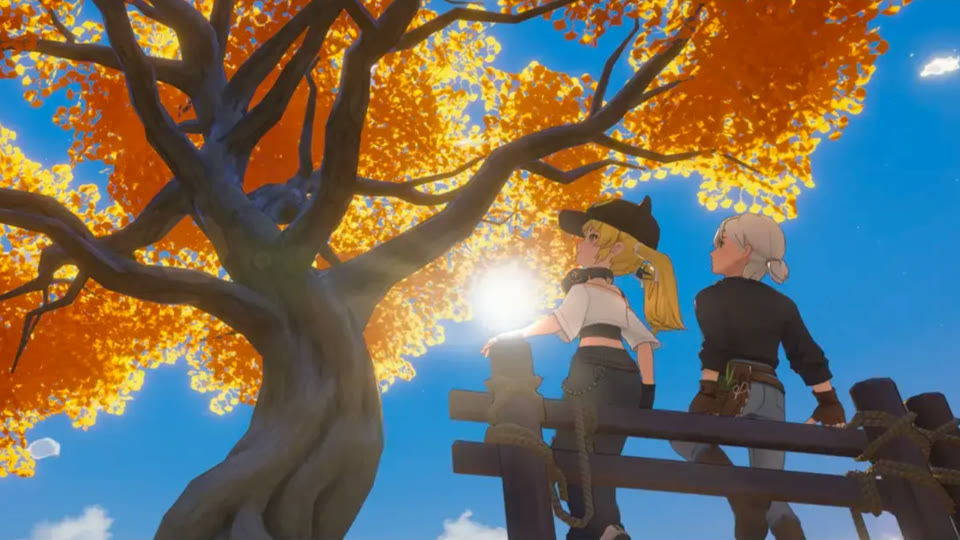
Choose a small resident group, carry gifts and quest items before leaving home, and combine conversations with shopping, requests, and regional routes.
Relationships are part of Island Life progression and the 1.0 game includes multi-heart story content. Recent patches also fix several three-heart and five-heart quest blockers, so version awareness matters.
Build a sustainable relationship list
Trying to visit every resident every day creates a route that crowds out professions and seasonal goals.
- Focus on residents tied to current Island Life requirements.
- Add one romance target and one service-route resident.
- Rotate the wider cast across the week.
Treat gifts as tested investments
A scarce item should not be given based on an unverified chart or visual guess.
- Start with renewable gifts.
- Record positive and negative reactions.
- Protect items needed for trials, festivals, recipes, or collection.
Plan heart quests around clean save states
Story quests can depend on location, time, prior scenes, inventory submissions, or multiplayer state.
- Read the quest log before leaving the island.
- Finish active heart scenes before starting another long expedition.
- Install current patches when a known quest cannot advance.
Stack social progress with town errands
The best relationship route also completes deliveries, shopping, bulletin requests, and app goals.
- Sort residents by region and service hours.
- Carry all same-area gifts in one bag row.
- End near the next time-sensitive destination.
Manage affection events as a trigger queue
Version 1.0 added three-heart and five-heart story quests for a group of residents, with triggers delivered through mail or designated island locations. Treat these events as a queue rather than trying to activate several at once. When a new letter arrives or a location trigger is suspected, finish or deliberately defer the oldest active relationship event before adding another. Record resident, trigger source, current objective, and any location or inventory condition shown by the quest log. This reduces confusion when scenes overlap ordinary commissions or travel. If an event does not advance, compare the current game version with official patch notes before repeating the same trigger. Recent updates have corrected multiple affection-quest blockers, so a clean diagnostic record is more useful than repeatedly gifting the resident.
- Open mail and the quest log before starting the town route every day, then note newly activated affection content separately from routine conversations and commission deliveries.
- Advance one relationship event to a clear checkpoint before pursuing another location trigger, preserving a simple record of which scene or objective should occur next.
- When progress stalls, capture the resident, heart quest, objective text, location, multiplayer state, and version before testing again or consulting the latest published official fixes.
Use doorbells as delivery safeguards
The 1.0 cycle added doorbells outside selected NPC bedrooms so players can call them out for conversation or commission hand-in when they are inside. Use this as a recovery tool for a prepared route, not as permission to arrive without checking the objective. Before leaving home, confirm the correct item and quantity in the quest interface and place it in a protected bag row. At the residence, try the normal interaction path, then use the doorbell if the resident is unavailable inside. Verify completion before moving to the next stop, because carrying several similar commissions invites accidental confusion. If the doorbell does not resolve the situation, do not spend the whole day waiting; document the state and continue with nearby errands.
- Match each delivery item to the named resident and visible objective before departure, keeping gifts in a different bag row so the two interactions cannot be confused.
- Use the doorbell only at supported residences when the NPC is inside, then confirm the conversation or commission hand-in actually updates the relevant quest state.
- Set a short retry limit and preserve evidence when contact fails; complete neighboring tasks rather than sacrificing the entire route to an uncertain schedule problem.
Plan dates as dedicated sessions
Dating is a distinct 1.0 feature for romanceable NPCs, so give it a clean place in the schedule instead of squeezing it between risky expeditions or overloaded delivery circuits. Begin with free inventory space, no expiring objective that requires immediate travel, and enough uncommitted time to follow prompts without rushing. Save high-value production and rare-weather work for a different block unless the date explicitly leaves room. Afterward, review whether new mail, dialogue, or quest steps appeared before returning to routine gifting. Keep romance decisions separate from general friendship optimization; shop discounts and progression value may make an NPC useful, but they should not determine the player’s preferred story. Dedicated sessions protect both narrative continuity and practical scheduling.
- Start a date only after clearing urgent deliveries and inventory clutter first, reducing the chance that another deadline or full bag interrupts an unfamiliar sequence.
- Avoid stacking the date with a boss run, rare fishing window, or major rebuild; each activity benefits from attention and may change the rest of the day.
- Check mail, the quest log, and the resident's next available interaction afterward, then record the new checkpoint before resuming the normal social rotation on another day.
Separate relationship rewards from relationship choices
Affection thresholds can unlock practical benefits such as reduced prices at selected affiliated shops, but reward efficiency should not erase story preferences. Maintain two lists: residents whose relationship content you personally want to follow, and residents whose shop, quest, or Island Life connection supports current progression. The lists may overlap, but they require different schedules. Story targets deserve protected time for mail and location events; utility targets can be visited during existing service routes with renewable gifts and commissions. Recalculate the utility list when a major purchase is finished or the relevant progression gate changes. This avoids endless gifting for a discount that no longer matters and prevents romance content from becoming another optimization chore. Always verify the actual benefit in the current interface before planning purchases around it.
- Mark each focused resident as story, utility, or both, then choose the visit frequency and route based on that role rather than treating every heart identically.
- Time expensive affiliated-shop purchases after confirming the discount is active there in the current save; do not rely on a remembered threshold or outdated chart.
- Remove utility targets when their purchase or progression purpose has ended, freeing gifts and route space for residents whose scenes or relationships remain personally important.
Frequently asked questions
Should I gift every resident every day?
Not if it prevents progression. Focus on a few current targets and rotate the rest through efficient regional routes.
What if a heart quest will not continue?
Check the quest log, location, time, prerequisite scenes, inventory state, multiplayer setting, and current patch notes.